Introduction
For decades, designers and creative professionals accepted late nights, endless revisions, creative blocks, and tight deadlines as part of the job. Whether you were a graphic designer, UI/UX designer, illustrator, photographer, video editor, motion designer, or frontend developer, productivity was largely limited by the number of hours you could physically work.
Artificial Intelligence has fundamentally changed that equation.
Today’s AI is no longer just about generating images from prompts. It has become a creative assistant capable of brainstorming ideas, writing copy, generating layouts, editing images, creating prototypes, writing code, organizing files, automating repetitive work, and even collaborating alongside designers.
Rather than replacing creativity, AI is allowing creatives to spend less time on repetitive production tasks and more time on strategy, storytelling, innovation, and human-centered design.
The Old Creative Workflow
A typical design project before AI often looked like this:
- Client briefing
- Research
- Moodboards
- Sketches
- Wireframes
- Design exploration
- Asset creation
- Icon searching
- Image editing
- Content writing
- Revisions
- Development handoff
- Documentation
Many of these stages required manual work, resulting in 10–16 hour workdays, especially for freelancers managing multiple clients.
Creative burnout became common across the industry.
AI Isn't Replacing Designers
One of the biggest misconceptions is that AI replaces designers.
It doesn’t.
AI replaces repetitive work.
Designers solve problems.
AI helps execute ideas faster.
Human creativity still drives:
- Brand strategy
- User psychology
- Storytelling
- Emotional design
- Visual hierarchy
- Customer experience
- Design systems
- Business thinking
AI simply removes much of the mechanical work between the idea and the final result.
Industry leaders increasingly emphasize that design quality, taste, empathy, and understanding user needs remain the differentiators, even as AI accelerates production.
Brainstorming Ideas
Instead of staring at a blank canvas, designers can ask AI to generate:
- Color palette ideas
- Brand concepts
- Logo directions
- Landing page structures
- Marketing campaign ideas
- Typography pairings
- UX improvements
- Moodboards
What once took several hours can often be reduced to minutes.
Faster Content Creation
Designers frequently wait for clients to provide:
- Headlines
- Product descriptions
- Social captions
- Blog articles
- Email copy
- CTAs
AI can generate first drafts instantly, allowing designers to focus on layout and visual communication rather than waiting on content.
Wireframes and UI Design
Modern AI-powered design tools can generate:
- Login pages
- Dashboard layouts
- Landing pages
- Mobile app screens
- User flows
- Components
Instead of starting from scratch, designers refine AI-generated concepts.
Recent advancements in collaborative design platforms show AI generating layouts, editing existing designs, automating repetitive tasks, and supporting cross-functional workflows.
Image Generation
Tools like Adobe Firefly, Midjourney, Flux, and ChatGPT image generation allow creatives to produce:
- Product mockups
- Concept art
- Marketing visuals
- Social media graphics
- Background scenes
- Character concepts
Stock image searches that once took hours can often be replaced by custom visuals generated in minutes.
Faster Prototyping
Product designers can rapidly generate:
- User flows
- Interactive prototypes
- Wireframes
- UI components
Instead of spending days creating initial concepts, AI enables teams to validate ideas much earlier in the design process.
Industry research also indicates that AI is changing collaboration itself, with more designers participating in development and more developers contributing to design workflows.
AI Reduces Creative Burnout
Before AI:
- Long nights
- Repetitive edits
- Endless asset searching
- Constant deadline pressure
Today:
- Faster iterations
- Better work-life balance
- More creative exploration
- Reduced repetitive labor
AI doesn’t eliminate deadlines, but it reduces the time spent on low-value tasks.
Challenges Designers Should Keep in Mind
AI is powerful, but it has limitations.
Creative professionals should avoid:
- Over-relying on generic outputs
- Ignoring copyright and licensing considerations
- Losing a unique visual identity
- Publishing AI-generated work without review
- Skipping accessibility or usability testing
The best results still come from human judgment combined with AI assistance.
Challenges Designers Should Keep in Mind
The future belongs to designers who know how to collaborate with AI.
Tomorrow’s most valuable creative professionals won’t necessarily be those who can work the longest hours, they’ll be those who can:
- Ask better questions
- Write better prompts
- Understand users deeply
- Combine creativity with technology
- Think strategically
- Deliver results faster without sacrificing quality
AI is becoming an everyday collaborator across design, development, and marketing rather than a standalone novelty.
Final Thoughts
Artificial Intelligence has changed the creative industry more in the last few years than many previous decades of software evolution combined.
The goal is not to replace designers but to eliminate repetitive work, reduce burnout, accelerate experimentation, and give creatives more time for meaningful problem-solving.
The designers who embrace AI responsibly will likely deliver higher-quality work, respond to clients faster, explore more ideas, and maintain healthier work-life balance than those who rely solely on traditional workflows.
The future of design isn’t Human vs AI.
It’s Human + AI.
Why GSAP Changed the Web Forever
Modern websites are no longer static pages — they are interactive experiences. At the core of this transformation stands GSAP (GreenSock Animation Platform).
GSAP is a high-performance JavaScript animation engine that allows developers to animate anything: DOM elements, SVGs, canvas, and even complex physics-based motion. What makes GSAP revolutionary is not just the core library — but its plugin ecosystem, which expands animation into entirely new dimensions.
From scroll-based storytelling to physics-driven interactions, GSAP plugins have fundamentally reshaped how developers design motion on the web.
GSAP Core Philosophy (Before Plugins)
Docs: https://gsap.com/
GSAP core provides:
- Timeline-based animation sequencing
- Hardware-accelerated performance
- Cross-browser consistency
- Advanced easing control
- Precise control over animation lifecycle
But the real power comes when plugins extend this core system.
Complete GSAP Plugin Ecosystem (Explained)
Below is a detailed breakdown of every major GSAP plugin and its purpose.
1. ScrollTrigger (Game-Changer for Web UX)
ScrollTrigger is arguably the most impactful GSAP plugin ever created.
It connects animations directly to scroll position.
- Scroll-based animation control
- Pinning sections during scroll
- Scrubbing animations with scroll speed
- Parallax effects
- Scroll-driven storytelling websites
Why it changed websites:
2. ScrollSmoother (Premium UX Enhancement)
Creates smooth, inertia-based scrolling effects.
- Smooth native scroll interpolation
- Parallax layering support
- Reduced scroll jitter
- Mobile-friendly smoothing options
Impact:
Makes websites feel like high-end motion experiences, often seen in portfolio and agency websites.
3. SplitText (Typography Animation Engine)
Splits text into:
- characters
- words
- lines
Use cases:
- Reveal animations
- Word-by-word storytelling
- Kinetic typography
- Hero section entrances
Why it matters:
4. DrawSVGPlugin (SVG Line Animation)
Animates SVG stroke paths as if they are being drawn in real-time.
Features
- Stroke drawing effects
- Progress-based SVG animation
- Great for icons, logos, diagrams
Impact:
5. MorphSVGPlugin (Shape Transformation Engine)
Morphs one SVG shape into another smoothly.
Features
- Complex path interpolation
- Organic shape transformation
- Icon morphing (menu → close icons)
Why it matters
It enables fluid UI transitions that feel alive, instead of rigid swaps.
6. MotionPathPlugin (Path-Based Movement)
Moves elements along SVG paths or custom curves.
Features
- Follow bezier curves
- Align rotation with path
- Scroll-driven path movement
Use cases
- Animated illustrations
- Flight paths
- Data visualizations
7. Draggable Plugin (Interaction Layer)
Enables drag-and-drop interactions.
Features
- Touch + mouse support
- Axis locking
- Inertia integration
- Snap points
Impact
- sliders
- UI dashboards
- carousels
- creative interfaces
8. InertiaPlugin (Physics Simulation Engine)
Adds momentum-based motion (like real physics).
Features
- Velocity-based animation
- Natural deceleration
- Flick gestures
- Range constraints
9. ScrambleTextPlugin
Animates text by scrambling characters.
Features
- Hacker-style transitions
- Loading effects
- Reveal animations
Use cases
- Cyber UI themes
- Experimental typography
10. ScrollToPlugin
Smooth scrolling to specific elements or coordinates.
Features
- Animated page navigation
- Anchor scrolling
- Easing control
11. Flip Plugin (Layout Animation Engine)
Animates layout changes smoothly.
Features
- DOM state transitions
- Grid rearrangements
- UI reordering animations
Why it matters:
Why GSAP Plugins Are So Powerful Together
GSAP plugins are not isolated tools — they are designed to work as a system:
- ScrollTrigger controls timing
- MotionPath defines movement
- Draggable creates input
- Inertia adds physics
- MorphSVG + DrawSVG handle visuals
- Flip handles layout transitions
This ecosystem turns GSAP into a full motion design framework for the web.
Real Impact on Modern Websites
GSAP plugins have enabled:
- Apple-style scroll storytelling
- Interactive SaaS landing pages
- Cinematic portfolio websites
- Advanced product showcases
- Motion-driven UI/UX systems
Today, many award-winning websites rely heavily on GSAP for performance + creativity balance.
Final Conclusion
GSAP is no longer just an animation library — it is a complete motion design ecosystem.
In modern web development, where user experience is everything, GSAP plugins have become a foundation for:
- storytelling websites
- immersive UX
- high-end branding experiences
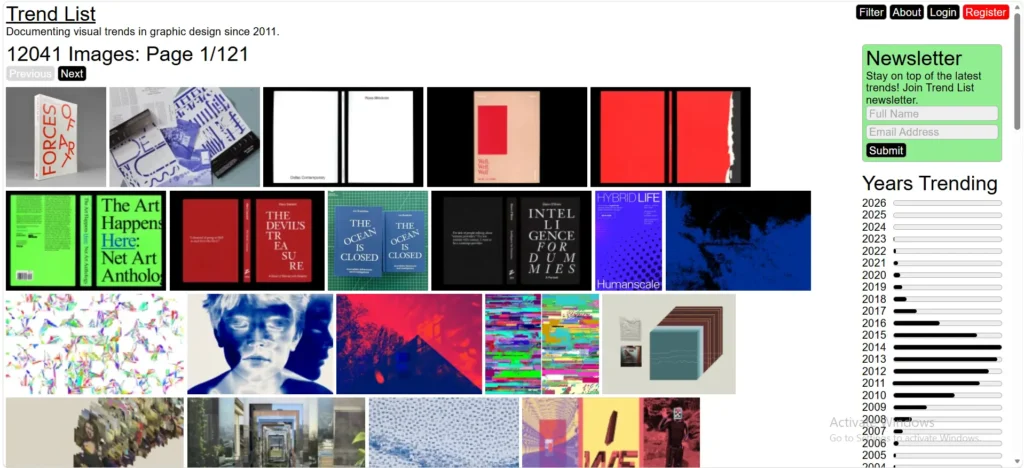
You begin noticing patterns:
- Brutalist typography
- Minimal grids
- Experimental layouts
- Swiss-inspired systems
- Distorted type treatments
- Neo-futuristic visuals
- Editorial asymmetry
Every generation unknowingly speaks through visual patterns.
The site encourages designers to look beyond originality myths and understand how culture influences aesthetics. Once you understand trends historically, you stop copying visuals blindly and start using them intentionally.
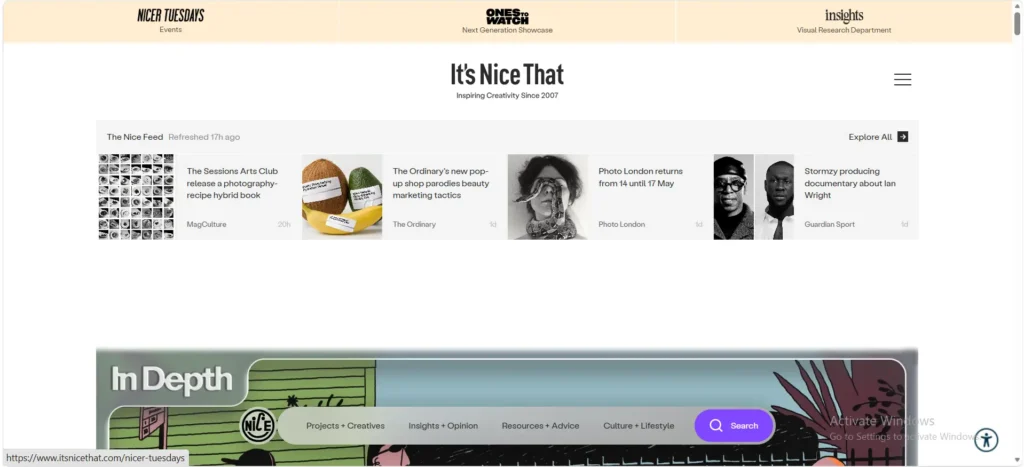
It’s Nice That exists to inspire the global creative community by showcasing diverse talent, original projects, and industry insights. Founded in 2007, the platform grew from a university brief into one of the most influential creative publications online.
Unlike traditional design galleries, this platform feels human.
It explores:
- The stories behind creative work
- Artistic processes
- Emerging designers
- Creative struggles
- Visual culture
- Experimental thinking
Scrolling through It’s Nice That feels like walking through a modern creative museum where graphic design, illustration, photography, animation, fashion, branding, and motion graphics all coexist naturally.
The beauty of the platform is its emotional intelligence. It reminds creatives that design is not only about aesthetics — it’s about ideas, communication, personality, and perspective.
This site is especially valuable for creatives who feel trapped inside algorithm-driven inspiration platforms. Instead of endless polished perfection, you discover experimentation, personality, and individuality.
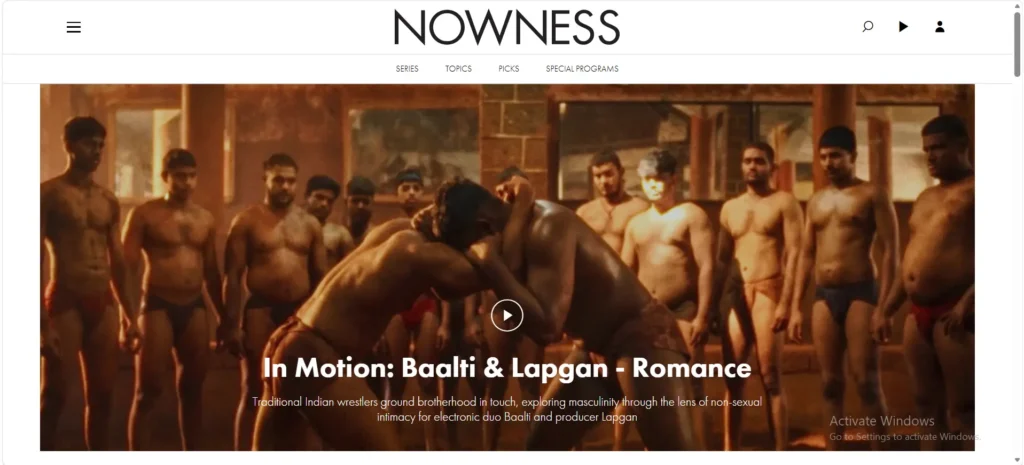
NOWNESS is where cinema, art direction, emotion, fashion, and storytelling collide.
This platform is less about static visuals and more about atmosphere.
Every film, visual story, or editorial piece on NOWNESS feels intentionally crafted — from sound design and pacing to framing and mood. It pushes creatives to think beyond composition and consider:
- Movement
- Emotion
- Silence
- Rhythm
- Texture
- Human connection
NOWNESS helps creatives understand that visual communication is not always loud. Sometimes the strongest creative work is subtle, cinematic, and emotionally immersive.
If Trend List sharpens your eye for design systems, NOWNESS sharpens your sense of mood.
It’s particularly powerful for:
- Filmmakers
- Motion designers
- Fashion creatives
- Brand storytellers
- Luxury visual designers
- Creative directors
The platform encourages slower observation — something modern creative culture desperately needs.
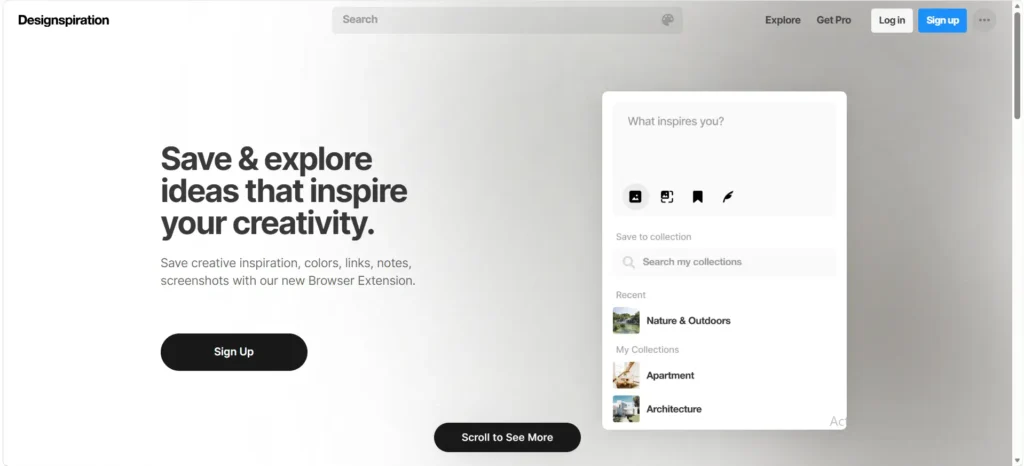
Designspiration is a curated inspiration platform created to help creatives collect, organize, and explore visual ideas. The platform focuses heavily on discovery and creative exploration through searchable imagery and collections.
Think of it as a visual playground for your subconscious mind.
You can explore:
- UI inspiration
- Branding systems
- Color palettes
- Typography
- Packaging
- Architecture
- Product photography
- Fashion aesthetics
The real value of Designspiration comes from association. When you repeatedly expose yourself to diverse visual combinations, your brain starts forming unexpected creative connections.
This is how original ideas often emerge:
- not from a single reference —
- but from combining multiple unrelated inspirations into something new.
Designspiration also encourages visual curation skills. Learning what to save, organize, and revisit is part of becoming a better creative thinker.
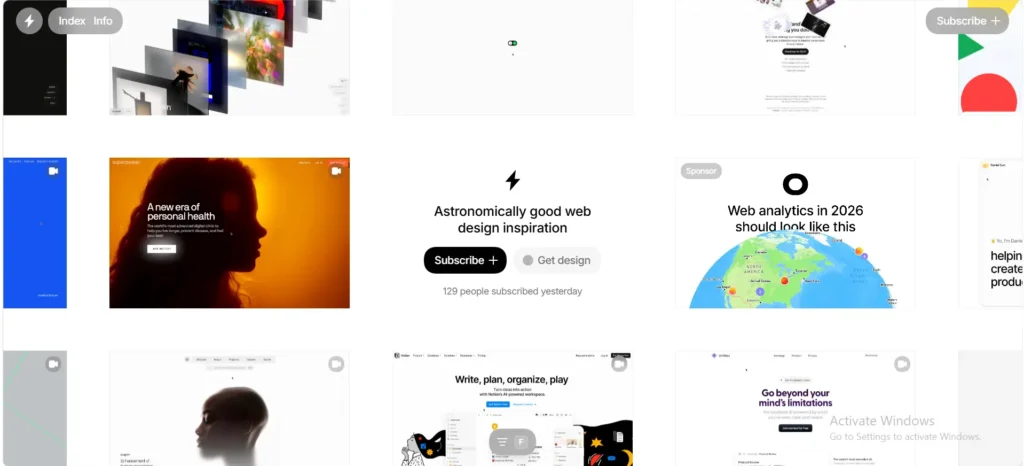
Godly is a curated platform focused on showcasing exceptional web and interactive design. Founded in 2021, the site highlights carefully selected high-quality websites with strong emphasis on creativity, interaction, motion, and user experience.
This platform is essential for modern web designers because today’s websites are no longer just layouts — they are experiences.
Godly showcases:
- Interactive storytelling
- Smooth motion systems
- Experimental navigation
- Creative scrolling experiences
- Modern portfolio design
- Premium product presentation
- Advanced UI transitions
Browsing Godly changes the way you think about websites entirely.
You stop asking:
How should this website look?
And start asking:
How should this website feel?
For designers working in web development, branding, motion design, or creative portfolios, Godly becomes a source of next-generation thinking.
Why These Platforms Matter
A designer who only studies design trends eventually becomes repetitive.
But a designer who studies:
- Film,
- Interaction,
- Storytelling,
- Typography,
- Motion,
- Photography,
- Culture,
- and Human emotion…
develops a visual language that feels alive.
Creative growth happens when you intentionally expose yourself to different forms of thinking.
One Reddit designer explained that inspiration should not simply be “copying beautiful things,” but researching references that solve creative problems intelligently. Another creative pointed out that looking outside your own discipline helps prevent accidental imitation and keeps ideas fresh.
That is exactly what these platforms help you do.
Conclusion
The internet is full of inspiration, but not all inspiration expands your vision.
Some platforms feed trends. Others train perception.
Websites like Trend List, It’s Nice That, NOWNESS, Designspiration, and Godly.website help creatives move beyond surface-level aesthetics and into deeper visual understanding.
The more diverse your visual intake becomes, the broader your creative vision grows.
Study these platforms carefully. Observe patterns. Analyze moods. Save references. Understand why something works emotionally, visually, or conceptually.
Because great ideas rarely appear suddenly.
They evolve from everything your eyes have learned to notice.
Nvidia and Corning Expand AI Infrastructure Manufacturing
Executives from both companies highlighted the growing importance of optical networking as AI systems become larger and more power-intensive. Corning plans to expand production capabilities substantially while creating thousands of new jobs tied to advanced manufacturing and AI infrastructure development.
Industry analysts view the partnership as part of Nvidia’s broader strategy to secure critical supply chains beyond semiconductors. As demand for AI computing accelerates worldwide, companies are increasingly investing in supporting technologies such as fiber optics, cooling systems, and data transfer infrastructure.
The announcement also reflects a wider movement toward strengthening U.S.-based technology manufacturing, especially in sectors connected to artificial intelligence and next-generation computing networks.
Product designing is more than just aesthetics—it’s the strategic process of creating products that solve real problems while delivering exceptional user experiences. From startups to global enterprises, businesses rely on product design to innovate, differentiate, and scale in competitive markets.
In today’s digital-first world, product design combines user experience (UX), engineering, branding, and business strategy to create impactful solutions.
What is Product Designing?
Product designing is the process of conceptualizing, creating, testing, and refining products to meet user needs and business goals. It includes everything from research and ideation to prototyping and final production.
A well-designed product balances:
- Functionality
- Usability
- Aesthetics
- Market demand
Product Design Process
1. Research & Discovery
Understanding user needs, market trends, and competitors.
2. Ideation & Concept Development
Brainstorming ideas and creating initial concepts.
3. Wireframing & Prototyping
Designing product structures and interactive prototypes.
4. Testing & Validation
Gathering feedback and improving usability.
5. Development & Launch
Collaborating with engineers to bring the product to life.
Top agencies emphasize iterative design and user-centered approaches to ensure product success.
Importance of Product Designing in Global Markets
- Helps businesses stand out in competitive industries
- Improves user satisfaction and retention
- Reduces development risks through testing
- Aligns product with brand identity
Top International Product Design Agencies
Here are some globally recognized product design companies you can reference or collaborate with:
- IDEO – Pioneer in human-centered design and innovation
- Work & Co – Known for AI-driven digital product solutions
- Huge Inc. – Works with global brands using data-driven design
- Ustwo – Focuses on user-centered digital product experiences
- Fuseproject – Blends industrial design with brand strategy
- UX Studio – Award-winning global UX and product design agency
- G & Co. – Works with brands like Nike and Burberry
- Cieden – Specializes in scalable digital product design
- RKS Design – Industrial and innovation-focused design firm
- DCA Design International – Full-service product development consultancy
Tools Used in Product Designing
Figma / Adobe XD – UI/UX design
SolidWorks / Fusion 360 – Industrial design
Blender / KeyShot – 3D rendering
InVision – Prototyping
Notion / Jira – Collaboration
Future Trends in Product Designing
AI-driven design systems
Sustainable and eco-friendly products
Voice and gesture-based interfaces
AR/VR product experiences
No-code and rapid prototyping tools
Conclusion
The tech world never stands still. Every year brings new gadgets that redefine how we live and work.
What’s Trending Right Now
- Apple Vision Pro — blending digital and physical worlds
- Samsung Galaxy Z Fold — pushing smartphone design forward
- Meta Quest 3 — making virtual reality more accessible
Smart Living Is Expanding
From smart homes to wearable tech, devices are becoming more integrated into daily life.
Innovation vs Practicality
While new gadgets are exciting, users are now focusing more on real-world usability rather than just features.
Conclusion
Technology isn’t just evolving — it’s becoming more personal, intuitive, and immersive.